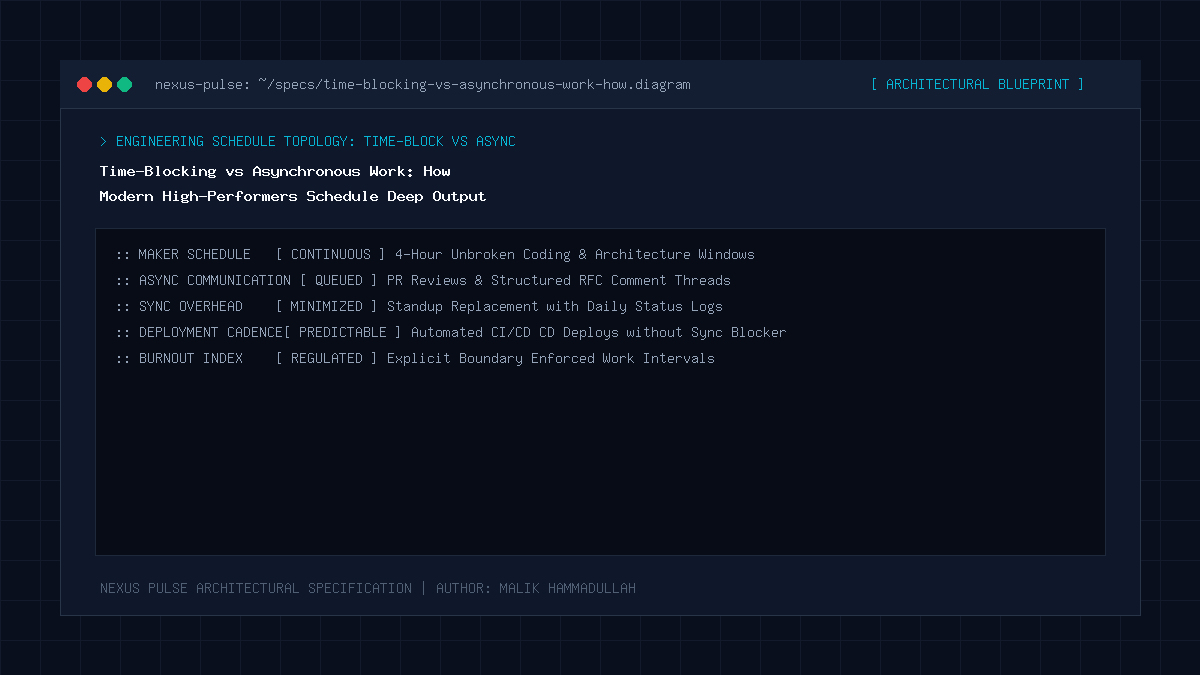
Elite technical high-performers balance the Maker vs. Manager schedule by combining proactive calendar time-blocking (allocating dedicated 2-to-4 hour deep work slots) with asynchronous-first team communication (batching Slack/email to twice daily), eliminating calendar fragmentation.
Key Takeaways & Quick Summary
- The Maker vs Manager schedule: a single 30-minute meeting in the middle of the morning destroys an engineer's entire half-day flow.
- Time-blocking treats your calendar as a finite budget: every hour is pre-allocated with intentional operational goals.
- Asynchronous communication defaults prevent urgent reactive firefighting from overwhelming strategic deep initiatives.
- Consolidating meetings into a single dedicated afternoon cluster preserves morning peak cognitive flow for deep work.
The Conflict Between Makers and Managers
In his seminal essay “Maker’s Schedule, Manager’s Schedule,” Y Combinator co-founder Paul Graham identified the fundamental structural conflict that sabotages high-growth technology companies.
Managers operate on one-hour time intervals: their job is to meet with different stakeholders, make decisions, and unblock teams. A meeting at 10:00 AM, another at 11:30 AM, and another at 2:00 PM is a completely natural, productive day for an executive.
Makers (software engineers, writers, architects, data scientists) operate on four-hour minimum blocks. A single 30-minute meeting scheduled at 10:30 AM fragments the entire morning, preventing the engineer from ever entering the deep state of consciousness required to solve difficult technical challenges.
In 2026, modern high-performing organizations resolve this conflict through deliberate calendar architecture.
The Mechanics of Calendar Time-Blocking
Time-blocking transforms a calendar from a passive invitation receptacle into an active, protective shield. Instead of maintaining an amorphous to-do list that generates anxiety, you assign every hour of your working day a specific operational assignment.
A well-architected time-blocked calendar reserves morning hours (e.g., 8:30 AM to 12:30 PM) for non-negotiable Deep Work. During this block, calendar scheduling links (like Calendly) display zero availability, Slack is closed, and phone notifications are muted.
By committing to a specific time and place for deep tasks, you eliminate the decision fatigue of wondering “What should I work on next?”
Asynchronous-First Communication Etiquette
Time-blocking fails if an organization maintains a synchronous “reply within 5 minutes” culture. Elite remote teams enforce an asynchronous-first communication protocol.
Messages are composed with complete context: instead of sending “Hey, got a quick minute?” and waiting for a reply, team members author structured updates containing the problem description, attempted solutions, proposed next steps, and specific deadlines.
Team members batch their communication processing to two dedicated 30-minute windows per day (e.g., 1:00 PM and 4:30 PM), allowing the remainder of the day to unfold in uninterrupted peace.
Clustered Meeting Days & Focus Sprints
Rather than scattering one or two meetings across every single day of the week, high-performing engineering teams cluster all synchronous calls into dedicated blocks—such as “Meeting Tuesdays and Thursdays,” leaving Mondays, Wednesdays, and Fridays as completely meeting-free Deep Work days.
This concentration of collaboration frees up massive, contiguous oceans of time for focused software architecture, coding sprints, and strategic planning.
Time-Blocking vs Asynchronous Work: Architecture & Technical Specifications Matrix
Reactive Calendar vs Time-Blocked Asynchronous Scheduling (2026 Comparison):
| Scheduling Dimension | Reactive Calendar (Chaotic Default) | Time-Blocked Async Protocol (High Performer) |
|---|---|---|
| Meeting Distribution | Scattered randomly throughout the week | Clustered into dedicated afternoons / days |
| Communication Cadence | Constant real-time pinging on Slack/WhatsApp | Batched communication (twice daily) |
| Deep Focus Windows | Fragmented into 20-30 minute slivers | Guaranteed 3-4 hour contiguous daily blocks |
| Daily Stress & Cognitive Load | High anxiety; constantly playing catch-up | Calm, intentional, high-velocity output |
| Sprint Delivery Reliability | Frequently misses deadlines due to interruptions | Consistently delivers complex projects ahead of schedule |
Official Specifications & Primary Sources
Architectural specifications, model capabilities, and benchmark evaluations in this guide are cited from official documentation and published papers (verified as of October 2026):
- GitLab: GitLab Asynchronous Work Culture Handbook
- Basecamp:: Basecamp: It Doesn’t Have to Be Crazy at Work Principles
- Harvard: Harvard Business Review: Collaborative Overload Analysis
Time-Blocking vs Asynchronous Work: Engineering Questions & Practical Considerations
What if my client or boss expects immediate replies?
Set expectations in advance: “To deliver our software roadmap with maximum speed and zero bugs, I dedicate mornings to deep engineering. I am fully active on Slack and email every afternoon.”
What calendar app is best for time-blocking?
Google Calendar or Apple Calendar paired with tools like Notion Calendar, Fantastical, or Morgen provide intuitive drag-and-drop time-blocking with automated timezone management.
What should I do if an emergency interrupts my time block?
Follow the “Rule of Replanning”: treat your time-block schedule as a living blueprint. If an emergency occurs, pause your block, resolve the incident, and gracefully slide remaining blocks to the afternoon or next day.
Join Our Official WhatsApp Channel
Get instant notifications for breaking AI developments, developer security guides, and tech intelligence directly on WhatsApp.

Recommended Reading