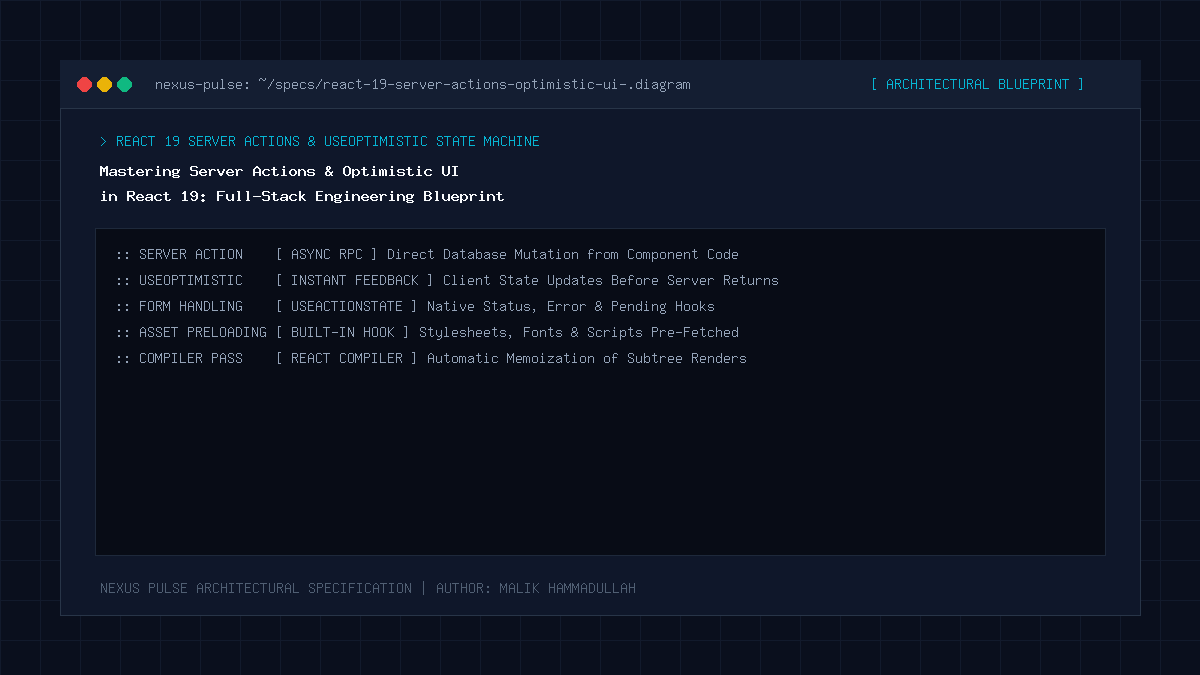
Quick Answer: In React 19, Server Actions and the useOptimistic hook revolutionize full-stack data mutations by eliminating boilerplate API routes and manual loading spinners. Server Actions allow frontend developers to invoke asynchronous server-side functions directly from form elements or user events with automatic progressive enhancement. By combining Server Actions with React 19’s useOptimistic and useActionState hooks, the interface updates instantaneously on user interaction—rendering the predicted successful state in 0ms—while the server operation executes in the background. If the server transaction fails, React automatically rolls back the UI to the pristine state and displays an actionable error message.
Key Takeaways & Quick Summary
- React 19 Server Actions eliminate client-side boilerplate by unifying backend mutation handlers with native HTML form action attributes.
- The useOptimistic hook delivers instant visual feedback by immediately applying predicted state before the server response returns.
- useActionState provides built-in lifecycle management, tracking pending states, return values, and validation errors without custom useState chains.
- Graceful rollbacks are handled automatically by React 19 if a Server Action throws an exception or returns a validation failure.
1. The Evolution of State Mutations in Modern React
For the past seven years, handling user mutations in React followed a predictable, error-prone pattern. If a user clicked “Like” on an article or added a comment:
- The component invoked a client-side
useStatehandler to toggle a loading spinner. - The handler dispatched an HTTP POST request via
fetch('/api/comments')to a bespoke API route. - The API route parsed JSON, validated input, interacted with a database, and returned a response.
- The frontend awaited the response, handled try/catch blocks, and updated global state or re-fetched query keys via TanStack Query.
This workflow introduced noticeable cognitive overhead, duplicated TypeScript types between frontend and backend, and caused sluggish user experiences where interfaces felt unresponsive until server latencies cleared.
React 19 dismantles this ceremony. With Server Actions, asynchronous server code executes seamlessly from the UI, while useOptimistic ensures the user experiences immediate gratification without waiting for network latency.
2. Anatomy of React 19 Mutation Hooks: useActionState & useOptimistic
Two essential hooks anchor React 19’s mutation model:
useActionState(action, initialState): Accepts an async Server Action and returns the current state, a dispatch function, and a booleanisPendingflag. It replaces cumbersomeisLoadingstate variables and automatically synchronizes with React transitions.useOptimistic(passthroughState, updateFn): Accepts current state and an updater callback. When an action dispatches, it immediately computes and displays an optimistic preview state. Once the transition concludes, it automatically synchronizes with the true server response.
3. End-to-End Implementation: Interactive Review Widget
Below is a production-grade implementation of a real-time article review submission widget exhibiting zero visual delay:
// app/actions/submitReview.ts
"use server";

import { z } from "zod";

const ReviewSchema = z.object({
  articleId: z.string(),
  author: z.string().min(2, "Name must be at least 2 characters"),
  comment: z.string().min(10, "Comment must be at least 10 characters"),
});

export type Review = {
  id: string;
  author: string;
  comment: string;
  timestamp: string;
};

export async function submitReviewAction(
  prevState: { reviews: Review[]; error?: string },
  formData: FormData
) {
  const rawData = {
    articleId: formData.get("articleId") as string,
    author: formData.get("author") as string,
    comment: formData.get("comment") as string,
  };

  const parsed = ReviewSchema.safeParse(rawData);
  if (!parsed.success) {
    return {
      reviews: prevState.reviews,
      error: parsed.error.issues[0].message,
    };
  }

  try {
    // Simulate high-speed database insert
    const newRecord: Review = {
      id: "rev_" + Date.now(),
      author: parsed.data.author,
      comment: parsed.data.comment,
      timestamp: "Just now",
    };

    // In production, execute SQL: await db.insert(reviews).values(...)
    return {
      reviews: [newRecord, ...prevState.reviews],
      error: undefined,
    };
  } catch (err) {
    return {
      reviews: prevState.reviews,
      error: "Database unavailable. Please try again.",
    };
  }
}
Now, let’s assemble the client component consuming this Server Action with instant optimistic rendering:
// components/ReviewWidget.tsx
"use client";

import { useActionState, useOptimistic, useRef } from "react";
import { submitReviewAction, type Review } from "@/app/actions/submitReview";

export default function ReviewWidget({
  initialReviews,
  articleId,
}: {
  initialReviews: Review[];
  articleId: string;
}) {
  const formRef = useRef<HTMLFormElement>(null);

  // 1. Core Action State Hook
  const [state, formAction, isPending] = useActionState(
    submitReviewAction,
    { reviews: initialReviews }
  );

  // 2. Optimistic UI Hook
  const [optimisticReviews, setOptimisticReviews] = useOptimistic(
    state.reviews,
    (currentList, newReview: Review) => [newReview, ...currentList]
  );

  async function handleClientSubmit(formData: FormData) {
    const author = formData.get("author") as string;
    const comment = formData.get("comment") as string;

    // Immediately inject predicted review into UI
    setOptimisticReviews({
      id: "temp_" + Date.now(),
      author: author || "Anonymous",
      comment: comment,
      timestamp: "Posting...",
    });

    formRef.current?.reset();
    await formAction(formData);
  }

  return (
    <div className="review-widget-container">
      <h3>Community Discussion ({optimisticReviews.length})</h3>

      <form ref={formRef} action={handleClientSubmit} className="review-form">
        <input type="hidden" name="articleId" value={articleId} />
        <input
          type="text"
          name="author"
          placeholder="Your Name"
          required
          className="form-input"
        />
        <textarea
          name="comment"
          placeholder="Share your technical perspective..."
          required
          className="form-textarea"
        />
        <button type="submit" disabled={isPending} className="submit-btn">
          {isPending ? "Syncing..." : "Submit Review"}
        </button>
        {state.error && <p className="error-badge">{state.error}</p>}
      </form>

      <div className="reviews-list">
        {optimisticReviews.map((rev) => (
          <div key={rev.id} className="review-card">
            <div className="review-header">
              <strong>{rev.author}</strong>
              <span className="timestamp">{rev.timestamp}</span>
            </div>
            <p>{rev.comment}</p>
          </div>
        ))}
      </div>
    </div>
  );
}
4. Architectural Comparison: Traditional API Routes vs Server Actions
| Feature | Legacy API Routes (/api/*) | React 19 Server Actions |
|---|---|---|
| Client-Side Boilerplate | High (fetch, headers, JSON serialization) | Zero (Native form action dispatch) |
| Type Safety | Requires tRPC or shared interface schemas | End-to-End TypeScript inferencing |
| Perceived Latency | 150ms – 600ms (Awaiting HTTP round-trip) | 0ms (Instant with useOptimistic) |
| Progressive Enhancement | Fails without JavaScript loaded | Native HTML Form fallback works without JS |
| Security Isolation | Exposes explicit API URLs to scrapers | Server code runs isolated; unexposed endpoints |
This comprehensive technical blueprint was researched and authored by Malik Hammadullah, Editor-in-Chief & Founder at NEXUS PULSE. Follow our engineering intelligence and connect with the author on Quora, GitHub, Twitter / X (@HammadMalik1772), and Instagram (@hammad_4757).
Sources & Official Documentation
Architectural specifications, model capabilities, and benchmark evaluations in this guide are cited from official documentation and published papers (verified as of October 2026):
Join Our Official WhatsApp Channel
Get instant notifications for breaking AI developments, developer security guides, and tech intelligence directly on WhatsApp.

Recommended Reading